Sending Requests to OpenAI-Compatible API using curl
This guide explains how to send requests to Kakoti’s OpenAI-Compatible server using the curl command.
🔧 Prerequisites
- Having an API Key (Access Token) that you’ve received from the Kakoti panel.
- Having
curlinstalled on your system (usually pre-installed on Linux and Mac). - Basic familiarity with sending HTTP requests.
🧭 Base URL
Use the following address to send requests:
Base URL
https://llm-api.kakoti.com/v1🧰 Sending Requests
Send the API key in the Authorization header:
Authorization Header
Authorization: Bearer YOUR_API_KEY📝 Example Request
cURL Example
curl -X POST https://llm-api.kakoti.com/v1/chat/completions \
  -H "Authorization: Bearer YOUR_API_KEY" \
  -H "Content-Type: application/json" \
  -d '{"model": "gpt-4o-mini", "messages": [{"role": "user", "content": "Hello"}]}'
🔌 Using Postman or Insomnia
If you use Postman or Insomnia to send HTTP requests, you can import the request using the curl command given above.
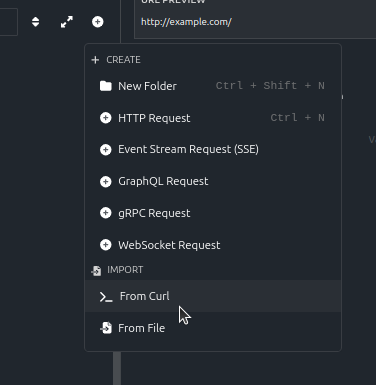
🧾 Explanation of Different Parts of the Command
| Part | Explanation |
|---|---|
-H "Content-Type: application/json" | Specifies that data is sent in JSON format. |
-H "Authorization: Bearer <API_KEY>" | Places the access key in the header. |
-d '{ ... }' | Specifies the request content (JSON body). |
"model" | The name of the model to use, such as gpt-4o-mini, gpt-4o, or any model your server supports. |
"messages" | An array of messages for conversation in Chat Completion API format. |
📤 Server Response
On success, the response is usually in the following format:
{
  "id": "chatcmpl-12345",
  "object": "chat.completion",
  "created": 1731000000,
  "model": "gpt-4o-mini",
  "choices": [
    {
      "index": 0,
      "message": {
        "role": "assistant",
        "content": "Hello! How can I help you?"
      },
      "finish_reason": "stop"
    }
  ]
}